

Overview: High traffic is meaningless if it fails to convert into signed leases. This article provides a guide to a systematic multifamily website audit designed to find the hidden leaks in your leasing funnel. You will learn how to transition from vanity metrics like page views to event-based tracking in GA4, identifying specific friction points on floorplan pages and stress-testing technical integrations. This 30-minute framework is intended to provide multifamily marketing professionals tips to move beyond showing empty boxes and start optimizing for high-intent actions like tour completions and direct applications.
GA4: A Diagnostic Guide for Your Multifamily Website
A multifamily website that functions only as a digital brochure is a liability in a high-supply market. Many portfolios suffer from silent leaks. In these cases, owners pour thousands of dollars in monthly ad spend into a funnel that evaporates before the prospect ever reaches the rent roll.
The traditional method of evaluating multifamily website health by focusing on traffic and page views is outdated. These metrics are carryovers from the era of Universal Analytics. With the shift to Google Analytics 4 (GA4), traffic is now a vanity metric. If a user journey does not end in a high-intent action, the session is a failure.
To find where your leasing funnel is losing pressure, use this systematic 30-minute audit framework. This process prioritizes behavioral data over surface-level statistics.
The Shift from Reporting to Event-Based Reality
GA4 differs from its predecessor because it uses an event-based system. It no longer tells you what is important by default. You must define the milestones that signify a qualified lead.
For a property website, these milestones are not time on site or scroll depth. They are the specific triggers that bridge the gap between a digital browser and a physical resident.
To conduct a meaningful multifamily website audit, your tracking must prioritize these conversion events:
- Click to Call: The immediate intent to speak with a human.
- Contact Form Submissions: Written inquiries for specific availability.
- Tour Schedule Completions: The most valuable leading indicator of a signed lease.
- Apply Now Clicks: Direct intent to move into the financial qualification stage.
- Chatbox Interactions: Real time engagement that often serves as the first point of contact.
If you do not track these five actions as individual events in your GA4 dashboard, you are flying blind. You cannot optimize what you do not measure.
Phase 1: Identifying the High-Friction Drop Offs (Minutes 0 to 10)
The first step of the audit is locating the exit points. While many multifamily marketing professionals assume the homepage is the primary source of abandonment, the data suggests otherwise. The floorplans page is almost always where the most significant drop-off occurs.
This is the decision junction. Here, the renter evaluates if the apartment physically and financially fits their life. If your floorplan page has a high bounce rate but low conversion to the tour scheduling stage, you have a friction problem.
Common hidden leaks at this stage include:
- Pricing Ambiguity: Renters will not engage with a tour scheduler if they feel the pricing is hidden or inconsistent.
- Layout Confusion: Overly creative or complex floorplan widgets often prioritize multifamily website design over clarity.
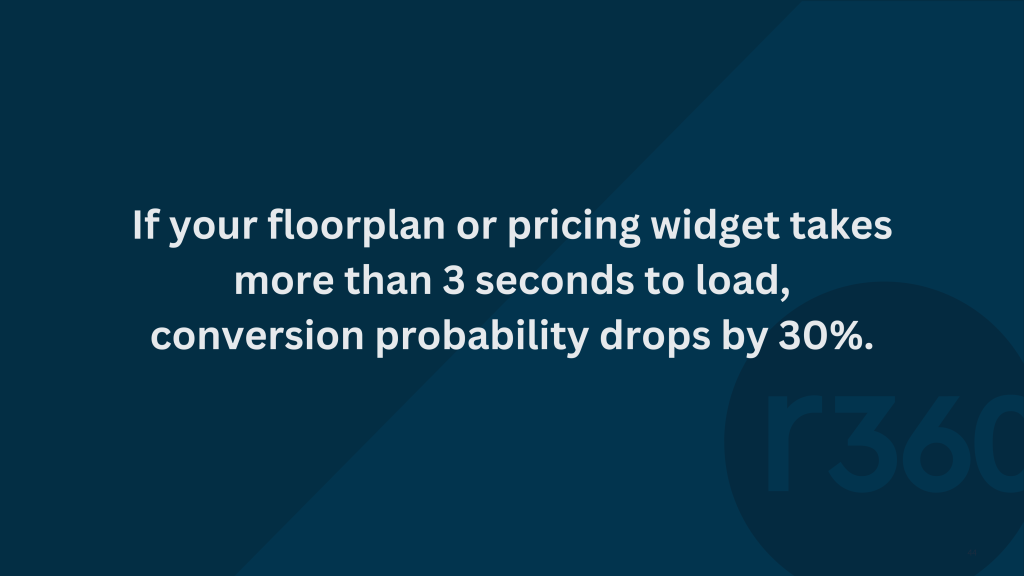
- Technical Latency: If the floorplan API takes more than three seconds to load, the high-intent prospect usually moves back to an ILS.

Phase 2: Auditing the Quality of the Source (Minutes 10 to 20)
Not all sessions are equal. A leak often occurs before the user even hits the site because the traffic source does not match the asset identity.
High-performing portfolios typically see the most conversions from three specific funnels:
- Organic Brand Search: Users who search for your property by name. This shows high brand awareness and trust.
- Google Business Profile (GBP): Traffic from Maps and local search. This is hyper-local and carries massive intent.
- Paid Search (PPC): Branded and non-branded keywords that capture renters while they are actively hunting.
A major red flag is high traffic paired with flat conversion rates. This often points to a landing page mismatch. If your paid ad promises a move-in special but the landing page shows a generic exterior shot without the discount, the prospect feels misled and exits immediately.
Phase 3: Testing the Conversion Path (Minutes 20 to 30)
Use the final 10 minutes of your audit to manually stress test the technical infrastructure. Tracking is often fragile in multifamily marketing due to the various third-party integrations required for tour scheduling and online leasing.
A sudden drop in a specific event to zero is a dead giveaway that your tracking is broken. If your CRM shows twenty applications but GA4 shows none, your apply now button likely has a broken tag.
Check for these technical leaks:
- Broken Completion Events: Tracking a tour schedule button click is useful, but tracking the thank you page load after completion is essential. If you only track the click, you measure interest rather than actual leads.
- Cross-Domain Issues: Many leasing funnels move from your branded URL to a third-party portal. If you do not configure the GA4 script for cross-domain tracking, the prospect disappears the moment they click apply. This makes your ROI impossible to calculate.
The Audit Checklist for Multifamily Decision Makers
To maintain a healthy funnel, use this checklist to verify that your multifamily marketing efforts translate into physical occupancy:
- Action-Based Tracking: Are you prioritizing tour schedules over page views?
- Weekly Action Reviews: Did you review the total calls, tours, and applications for the last seven days on your multifamily website?
- Source Attribution: Can you pinpoint exactly which ILS or paid campaign drove your most recent applications?
- Friction Check: Does your floorplan page provide pricing and availability within two clicks?
- Consistency Check: Do the conversions in GA4 align within 10% of the lead reports in your CRM?
Winning the lease requires removing barriers. A 30-minute audit is the difference between guessing your multifamily marketing budget and knowing exactly which lever to pull to drive occupancy.
If you want a second pair of eyes on your data or need help plugging those hidden leaks on your multifamily website, reach out to the team at Resident360. We are happy to chat about your next audit.